
If the mobile check deposit feature in our app isn't working, here are some things to troubleshoot:
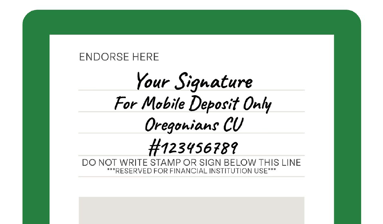
- Fully endorse the back of your check to include your signature, the words "For mobile deposit only", "Oregonians", and your member number:
- Place the check on a dark, flat surface with good lighting.
- Take clear, focused pictures of the front and back.
- Enter the correct amount of the check.